

Languages
English,French,German,Japanese,Korean,Portuguese,Russian,Chinese,Spanish
About this app
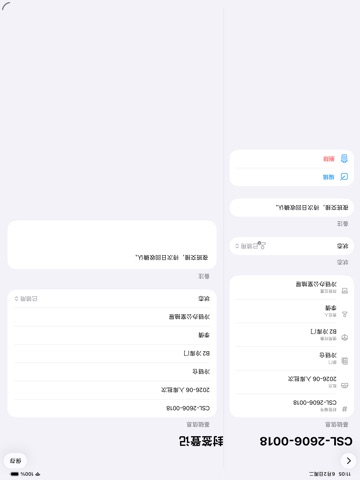
Seal Ledger is an offline record tool for warehouse, logistics, fleet, property, and equipment management teams. It helps track disposable lead seals, security tags, and seal strips by number, batch, issue, use, return, recovery, void status, and inventory count. All data stays on the device. No login is required, the app does not connect to the internet, and no user data is collected or uploaded. You can create a file for each seal batch, including number ranges, quantity, purpose, custodian, storage location, purchase date, and notes. During daily work, quickly record the person receiving a seal, target object, seal number, photo notes, usage status, and return or void result. At month end, generate inventory summaries by department, person, or status to support internal checks and handovers. It is designed for small teams that need clear number tracking without a complex system, especially for vehicle sealing, warehouse carton sealing, equipment cabinet sealing, archive cabinet sealing, and similar frequent workflows.
Screenshots


iPad screenshots

Features
- 1. Seal batch archive: Records number segments, quantities, procurement dates, storage locations, custodians, and notes
- 2. Requisition and usage registration: Register users, purposes, recipients, photo notes, and status changes by number
- 3. Recycling and invalidation management: Mark used, invalidated, lost, and recovered statuses
- Retain complete operation records
- 4. Number quick search: Supports searching by seal number, personnel, department, purpose, and local notes
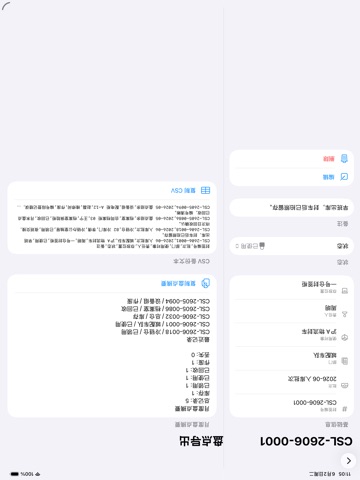
- 5. Monthly inventory report: Statistics by status, department, and personnel
- Generate copyable inventory summary
- 6. Offline export backup: Export CSV or text reports
- Convenient for archiving, handover, and local backup