

Languages
English,French,German,Japanese,Korean,Portuguese,Russian,Chinese,Spanish
About this app
Badge Card Layout Maker is an offline employee badge and ID card layout tool for small companies, shops, event teams and office administrators. It requires no login, no network connection and does not collect data. You can enter staff details, arrange badge layouts, preview cards and export printable PDFs entirely on your device. It is designed for users who need to create a few cards or batches of employee badges without using complex design software. The app includes common card sizes and A4 print layouts, and lets you save local templates for reprints, staff changes and later reuse. Key features: - Card templates: common horizontal and vertical badge, name tag, temporary pass and event pass sizes. - Staff profiles: enter name, department, title, number, photo and notes locally. - Batch layout: place multiple cards on A4 paper automatically, with margins, spacing and crop marks. - Photo tools: crop photos, use rounded avatars, show placeholders and check missing images. - PDF export: generate printable PDFs for print shops or office printers. - Local projects: save templates and staff batches on your device for quick reprinting. All staff profiles, photos and templates remain stored locally on the user's device.
Screenshots


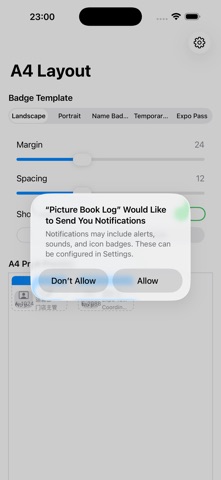

Features
- Badge Templates: Built-in horizontal/vertical badge, chest badge, temporary ID, exhibition ID, etc., for common sizes
- Employee Information: Local entry for name, department, position, ID number, photo, and remarks
- Batch Layout: Automatically collate multiple ID cards onto A4 paper
- Supports margin, spacing, and crop line settings
- Photo Processing: Supports cropping, round corners, placeholder prompts, and missing image checks
- PDF Export: Generate printable PDF
- Convenient for handing off to print shops or office printers
- Local Templates: Save frequently used templates and personnel batches
- No need to re-layout when adding new prints later