

Languages
English,French,German,Japanese,Korean,Portuguese,Russian,Chinese,Spanish
About this app
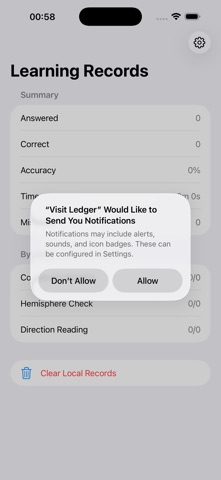
Geo Grid Practice is an offline focused training tool for middle school and high school geography learners. It helps students practice reading latitude and longitude grids, judging eastern and western hemispheres, northern and southern hemispheres, determining directions, and reviewing common question types. The app requires no login, does not connect to the internet, and does not collect personal data. It is suitable for after-school practice, exam preparation, and short study sessions. Key features: Latitude and longitude map reading: identify meridians, parallels, degree changes, and coordinate positions on grid maps. Hemisphere and direction judgment: practice eastern and western hemispheres, northern and southern hemispheres, low, middle, and high latitudes, and direction between two points. Topic practice and mistake review: generate offline exercises by question type and automatically save mistakes, accuracy, and progress. Draft markings: mark candidate points, direction arrows, and elimination notes on question diagrams to build a clear solving process. Local study records: save practice count, time used, accuracy, and mistake status. All data is stored only on the device.
Screenshots


Features
- Latitude/longitude reading practice: Identify meridians, parallels, degree changes, and coordinates on grid maps
- Hemisphere and direction judgment: Practice identifying Eastern/Western hemispheres, Northern/Southern hemispheres, low/medium/high latitudes, and direction between two points
- Topic question bank and error review: Generate offline practice questions by question type
- Automatically save errors, accuracy rates, and mastery progress
- Draft marking: Support candidate points, direction arrows, and exclusion marks on question images
- Help form step-by-step solving process
- Local learning records: Save practice counts, time spent, accuracy rates, and error status
- All data stored only on the device